Product Information
About
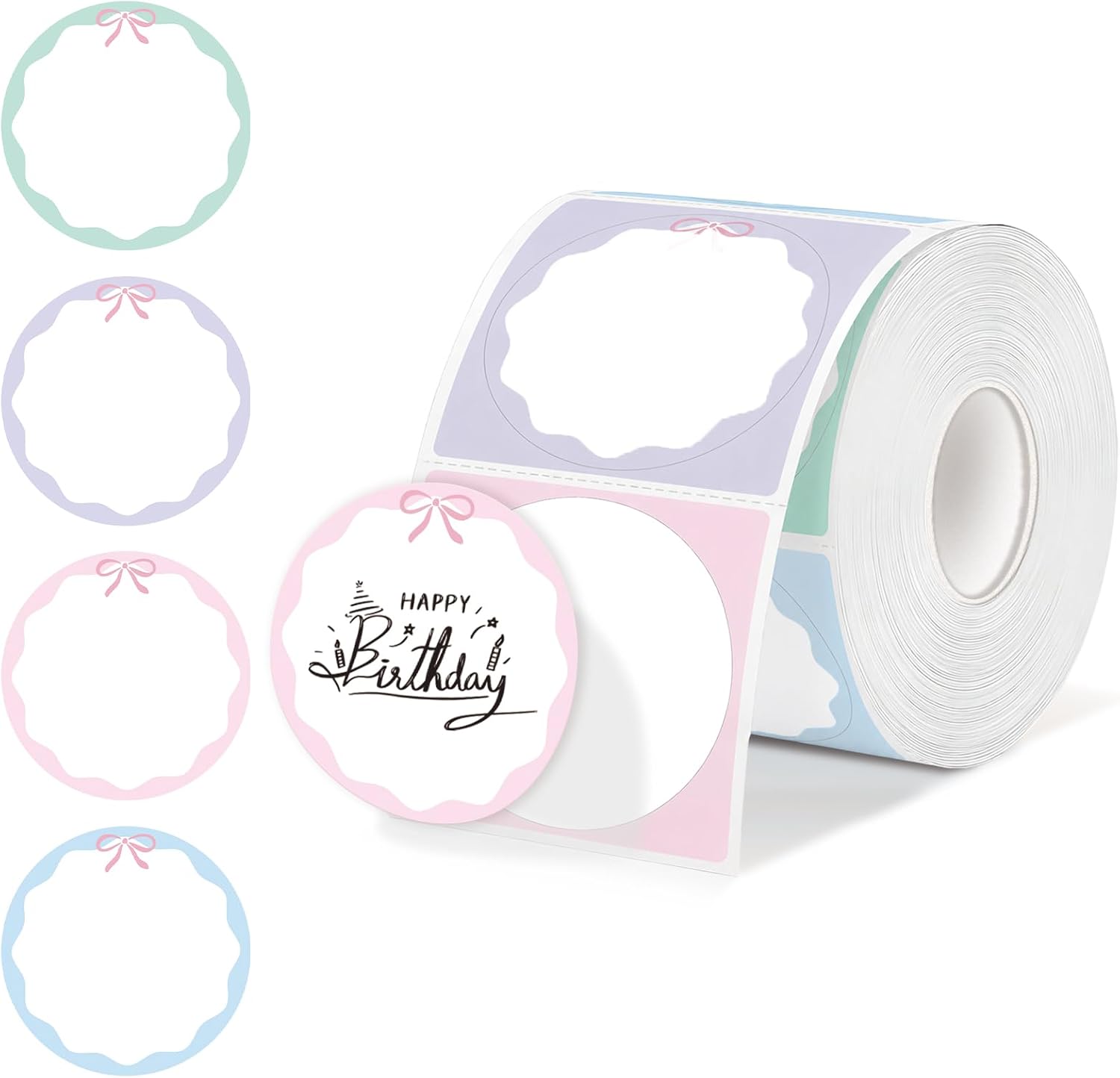
ELEGANT BOW DESIGN: Stylish bow and colorful scalloped-edge pattern adds a personal touch to your packaging, perfect for elevating the brand image of your handmade goods, boutique items, and custom gifts
SUPERIOR PRINT PERFORMANCE: Premium direct thermal coating ensures high-contrast black printing without ink, toner, or ribbons. Delivers crisp text and sharp graphics for professional results
DURABLE PROTECTION: These decorative labels are waterproof, oil-proof, and scratch-resistant. Designed to withstand moisture and handling, keeping your custom designs intact on various surfaces
RELIABLE ADHESION: Commercial-grade permanent adhesive bonds firmly to shipping boxes, plastic bags, and glass jars. Ensures labels stay secure during transit without peeling or lifting
BROAD COMPATIBILITY: Works seamlessly with desktop thermal printers like Munbyn, Rollo, Zebra, Polono, and Jadens. Note: NOT compatible with Dymo or Brother label printers
Product Description
PRODUCT DESCRIPTION:Our 2-inch diameter multi-colored thermal labels are designed for professional, eye-catching branding. Each roll contains 500 premium labels featuring a stylish bow and elegant scalloped-edge design. Featuring a high-sensitivity thermal coating, these labels ensure professional-grade, high-contrast printing without the need for ink or toner. The labels are smudge-free, BPA-free, and resistant to water, oil, and scratches, ensuring your branding stays crisp and professional for various DIY and business applications.FAQ:Q: Are these labels truly waterproof?A: Yes, these labels feature a protective layer that is both waterproof and oil-proof, making them ideal for product containers, jars, and retail packaging.Q: Will these work with my label printer?A: These are compatible with most direct thermal printers including Munbyn, Rollo, and Zebra. Please note: They are NOT compatible with Dymo or Brother machines.Q: How do I handle printing alignment issues?A: Ensure your design is centered in your printer software. If the print is off-center, adjust your printer’s calibration settings to match the 2-inch circular diameter.


