
ETEKJOY RFID Electronic Cabinet Lock Hidden DIY for Wooden Cabinet Locker Drawer Cupboard (Black)
Product Information
About this item
- Please set up the admin card and user cards to use. The lock is programmable. You can reset, add or delete key cards freely. YOU CAN ALSO USE ONE CARD/KEYFOB TO UNLOCK MULTIPLE LOCKS.
- Suitable for Wooden Cabinets & Drawers - The lock fits wooden doors less than 1-inch (2.5cm) thick. It is ideal for locking cabinets, drawers, lockers, cupboards, medical carts, data racks, gun boxes, etc. Not suitable for metal doors!!
- Compact Design & Sturdy Mechanism – The latch and mortise are made by metal. They are sturdy enough for locking. DIY Installation: No Drilling, installed by screws easily. 15,000 openings by 2x AA batteries (not included). LOW POWER ALARM. UNLOCK AUTOMATICALLY SHORTLY BEFORE BATTERIES GO DEAD.
- Hidden Lock Invisible Style - The lock is installed inside the cabinet. Unlock the cabinet door without touching. Keep your personal items safe. Improve children's safety at home.
- Two Unlock Modes - #1 Single Mode - One user card to unlock; #2 Dual Mode - 2 user cards together to unlock. Package Includes: 1x Lock Body,1x Latch, 1x Card, 3x Keyfobs, 1 Set x Screws, 1x Location Icon.
Product Description
Note: 1. The lock will automatically unlock (pop open) shortly before batteries go dead. Before that, low power alarm alerts. So, don’t worry about being locked out. 2. Please set up the admin card and user cards to use.Features: * Suitable for wooden door less than 1-inch (2.5cm) thick. * The lock is programmable, to reset, add or delete keys freely. * Two Unlock Modes: Single Unlock Mode, Dual Unlock Mode. * Powered by 2x AA 1.5V batteries (not included). * The batteries can last 8-12 months under normal use. * Unlock automatically shortly before batteries go dead. * The sound alarm will alert when the battery power is low.Operation Instructions Reset Install 2x AA 1.5V Batteries. Press the Reset button until a long beep. Set Up Admin Card After resetting the lock, swipe a RFID card/fob, this first card is configured as the Admin Card. Set Up User Card Swipe the admin card. Then swipe new cards, which you want to add as user card within the beeps. Delete Card 1. To delete all user cards: swipe the admin card 3 times. 2. To delete all admin and user cards: same as Reset. Low Voltage Alarm When you swipe the card to unlock, the voice alarm will alert (you can hear a long beep) if the battery power is low. You still can swipe card to unlock for 50 times max. Please replace the batteries ASAP.Package Includes: 1x Lock Body 1x Latch 1 set x Screws 1 set x RFID Cards (1x card + 3x keyfobs) 1x Location Icon
Similar Items
 Wall Mounted Shoe Rack, Hanging Shoe Organizer for Door, Self Adhesive, 3pc$8.99
 Adjustable Exterior Door Strike Plate, Deadbolt & Electronic Lock Security | Large hole strike plate for exterior doors, deadbolts & smart locks, home & rental, heavy-duty, durable, easy adjust install$5.99
 Bundle of Kwikset Halo Wi-Fi Smart Lock, Keyless Entry Front Door Touchscreen Deadbolt, Matte Black Finish + Kwikset Halifax Interior Passage Door Handle, Matte Black$223.70
 Mini Display Port Lock with Key, 4 Blockers 1 KeyClick to view price
 KNOBWELL 5 Pack Matte Black Door Knob -Fingerprint Door Lock, Black Keyless Entry Electronic Keypad Deadbolt Smart Front Door Lock SetClick to view price
 Philips WiFi Keypad Door Lock Bundle with Smart Door Lock with MatterClick to view price
 Govee Smart Light Bulbs Bundle Outdoor Solar String LightsClick to view price
 ENGINEER TWM-08 110mm Stubby Pocket Size Monkey Wrench$23.95
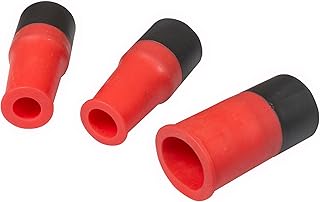 Dust Collection Power Tool Hose Sili Flex Fit Threaded Fittings$17.01
 KADRICK 80W Soldering Iron Heat Insert Tool with M2-M5 Heat Set Inserts | 520Pcs Brass Heat set inserts,With Insert Tips,Professional Set For 3D Printing$26.99