
MECCANIXITY 8pcs CPU Heatsink Fan Buckles, 8.7CM Wire Buckle Fixing Clips
Product Information
About this item
- The fan buckles cpu can be used to install and secure the fan inside the chassis to provide heat dissipation and air-circulation. The pc fan buckle can also be used to fix other types of fan devices, such as hard drive cooling fans.
- Length: 87mm/3.4inch; Center Width: 7.5mm/0.3inch;Wire Diameter: 1mm/0.04 inch; Color: Metal; Material: Metal and Nickel Plated Surface; Style: Fan Buckle; In the package of: 8Pcs x Heatsink Fan Buckle
- The cpu cooler fan buckle is light in weight, small in size, easy to carry and store, easy to use, and good performance. Effectively improve system heat dissipation, and reduce chassis noise.
- Turn off the computer and power-plug. Insert one side of the buckle into the corresponding fixing hole, and then press down the other side of the buckle to align it with the fixing hole. Gradually apply even pressure to fully press the buckle into the mounting hole. Repeat the above steps to ensure that the heat sink and CPU are fully fixed.
- Please allow slight errors due to manual measurement. Make sure its size matches the fan port. Make sure the buckles are in the correct position and direction. Regularly clean dust and debris on the radiator and fan to maintain good heat dissipation.
Product Description
What is this?The fan buckles cpu can be used to install and secure the fan inside the chassis to provide heat dissipation and air-circulation. The pc fan buckle can also be used to fix other types of fan devices, such as hard drive cooling fans.What will I get?Length: 105mm/4.13inchCenter Width: 7.5mm/0.3inchWire Diameter: 1mm/0.04 inchColor: MetalMaterial: Metal and Nickel Plated SurfaceStyle: Fan BuckleIn the package of: 8Pcs x Heatsink Fan BuckleAre there any advantages of the product?The cpu cooler fan buckle is light in weight, small in size, easy to carry and store, easy to use, and good performance. Effectively improve system heat dissipation, and reduce chassis noise.How to use it?Turn off the computer and power-plug. Insert one side of the buckle into the corresponding fixing hole, and then press down the other side of the buckle to align it with the fixing hole. Gradually apply even pressure to fully press the buckle into the mounting hole. Repeat the above steps to ensure that the heat sink and CPU are fully fixed.What should I notice?Please allow slight errors due to manual measurement. Make sure its size matches the fan port. Make sure the buckles are in the correct position and direction. Regularly clean dust and debris on the radiator and fan to maintain good heat dissipation.
Similar Items
 Replacement USB Computer PC Power Charging Charger Cable Cord Wire for DYNOJET PC3 PCIII PCV PC5 Power Commander 3 and 5$6.99
 MECCANIXITY 8pcs CPU Heatsink Fan Buckles 10CM Wire Buckle Upper Hook Type$6.79
 MT-Viki 17'' Rack Mount KVM Switch VGA 8 Port, Rackmount Monitor KVM Fit 1U 19'' Rack, 600-800mm(23.6~31.8'') Depth, Integrated with Keyboard+Touch pad+Drawer+8 KVM Cables$589.00
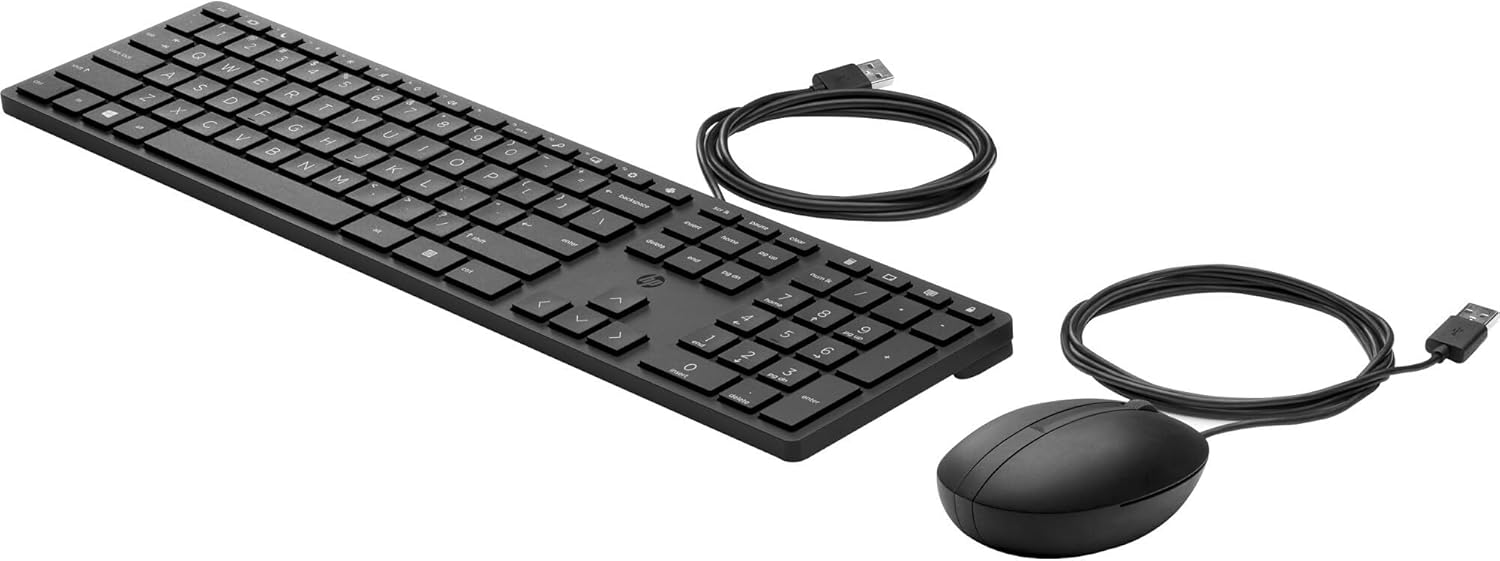 HP Wired Desktop 320MK Mouse and Keyboard - USB Cable Keyboard - English - Black - Cable Mouse - Black - Compatible with PC$23.90
 3U Server Cabinet Case 19" Rack Mount Lockable Drawer with Key$65.99
 UL Listed NEMA 5-20P to IEC C19 AC Power Cord, 12AWG 20A 125V, 6FT | Heavy-Duty Power Cable Replacement for Rack Server, UPS, PDU, High-Power Computer, Network Data Center Equipment$25.99
 TRIPP LITE 1U Rackmount Keyboard with KVM Cable Kit for 2-Post or 4-Post Racks (SRSHELFKBD)Click to view price
 Formulamod Sleeve Extension Power Supply Cable Kit 18AWG ATX 24P+ EPS 8-P+PCI-E8-P with Combs for PSU to Motherboard/GPU (Blue)$20.89
 Tripp Lite DisplayPort KVM Cable Kit 4K USB 3.5mm Audio 3xM/USB M/6ft (P783-006-U)$29.63
 Anti-Static Grounding Accessories Kit, ESD Ground Plug + Ground Wire Cable + Retractable Anti-Static Wristband, Static Eliminator for Phone Laptop Repair, Circuit Board Soldering & Electronic Assembly$16.55