
Keyboard Case for iPad mini 7th(A17 Pro)/6th Generation with Touchpad
Product Information
About this item
- ✅ 【Compatibility】- for iPad Mini 7th Generation A17 Pro 8.3-inch 2024/iPad Mini 6th Generation 2021 (Model Number: A2567, A2568, A2569). Please check back bottom of your tablet to find the model number
- ✅ 【MULTI-TOUCH TRACKPAD】- This keyboard case has an integrated multi-touch trackpad that perfectly adapts to the IOS system, with various trackpad gestures, providing a comfortable usage experience while clicking, scrolling, and swiping through content effortlessly. Allows you to turn your tablet into a real laptop and is very convenient for your typing, watching, working, and carrying without a mouse needed.
- ✅ 【Magnetically Detachable Bluetooth Keyboard】- The intelligent keyboard Case comes with a Detachable Wireless Bluetooth magnetic keyboard that lets you switch between a lightweight laptop and tablet.
- ✅ 【Multiple Viewing Angles】 your iPad screen will have multiple viewing angles. You can display your work presentation, watch your favorite show or read a new book. It’s also a great helper to do homework. There is no limits to places, you can take it out for a vacation, on your bed, on your table.
- ✅【Stain Resistant Case with Pencil Holder】This case with keyboard is made of specially dirt-proof leather, which can increase its resistance to dirt and stains. The built-in Pencil holder allows you to take your Pencil wherever you want. (NOTE: Apple Pencil is not included.). Precise cutouts allow full access to all features (Such as buttons, speakers, and cameras).
Product Description
*NO.1 All-Around Protective Keyboard Case: 1. Built-in Pen Holder (Pen not included) 2. Detachable Wireless Touchpad Keyboard 3. Rechargeable Bluetooth Trackpad Keyboard 4. Multiple Viewing Angles 5. Precision Cutting 6. Bluetooth Keyboard for 3 Systems *NO.2 Packing List: 1 * Folding High-Grade Protective Case (iPad not included) 1 * Removable Wireless Keyboard with Touchpad 1 * USB Charging Cable (ONLY for the keyboard, NOT for iPad) 1 * User Manual *NO.3 Wireless Keyboard Bluetooth Connection Method 1, Set the power button to the "ON" position. 2, Long press the "FN+C" button on the keyboard, and the Bluetooth indicator will keep twinkling. NOTE:press "Fn""C"together, it will opne keyboard bluetooth. 3, Click the "Settings" icon on your Pad. 4, Click"Bluetooth", and then turn on the Bluetooth. 5, Select"Bluetooth Keyboard" on your pad bluetooth interface. 6,If your touchpad can't work-----Please follow the steps: "Settings">"Accessibility">"Touch">"Auxiliary Touch">"Open". *NO.4 Last, The USB Charging Cable in the package,ONLY for the keyboard, NOT for iPad. 8, Charge the keyboard for about 3-4 hours before first use.
Similar Items
 Orange Bangs Synthetic Wigs Bouncy Halloween Costume for Women (Red Orange)$22.99
 Piano & Keyboard Exercises for Beginners, Daily Technical Exercising for Pianists: 230 Essential Exercises with Scales, Chords, Arpeggios, Practical Finger Workout, Sheet Music and Theory Book$14.97
 LifeArt Blue Light Blocking Glasses, Anti Eyestrain, Computer Reading Glasses,TV Glasses for Men and Women$14.95
 PWNAGE Ultra Custom Gaming Keyboard - Full Size RGB - USB C Mechanical Keyboard Hot Swappable Switches & PBT Keycaps - Black Metal Top Plate - Linear Red SwitchesClick to view price
 Cisco CCNA Command Guide: An Introductory Guide for CCNA & Computer Networking Beginners (Computer Networking Series Book 2)$0.99
 EYLRIM Thick Square Frame Blue Light Glasses for Women Men Non Prescription Computer Eyeglasses$14.99
 Onrtry Oversized Square Blue Light Glasses for Women Men Thick Frame Big Computer Eyewear Non-Prescription Eyeglasses$16.99
 LifeArt Blue Light Blocking Reading Glasses, Semi-rimless Glasses for Men, Stylish Computer Readers, Anti Eyestrain$19.98
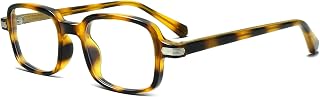 Women’s 90s Rectangle Glasses Men’s Trendy Square Fake Eyeglasses | Rectangular Blue Light Blocking Glasses, Small Eyewear, Anti Eyestrain Computer Eyeglasses, Trendy Fashion Screen Accessories$12.99
 THE POWER OF KEYBOARD SHORTCUTS: A complete list of essential keyboard shortcuts for the 14 most daily used software$0.00