Product Code: B0FN7KY381
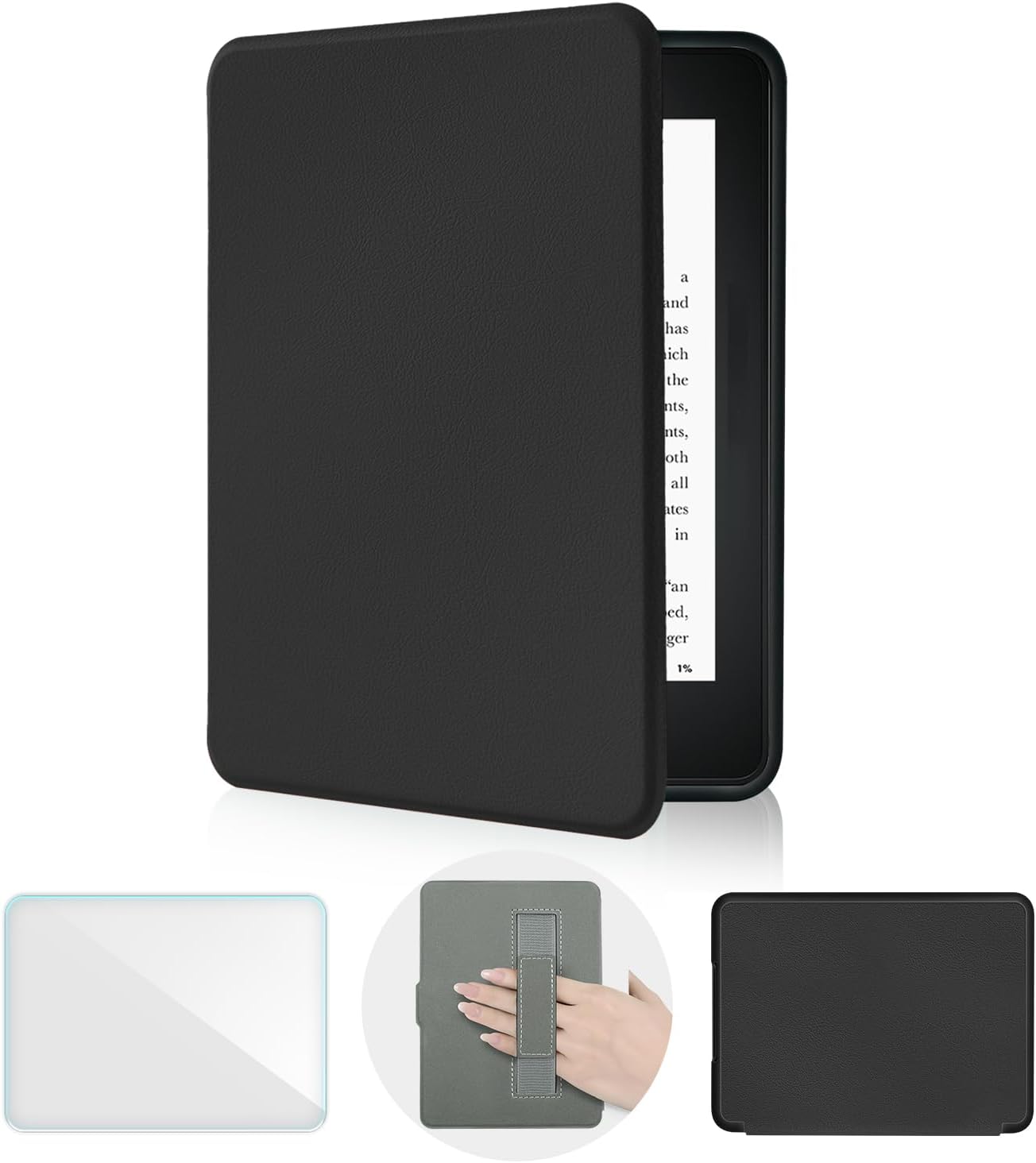
Case for 7" Kindle Paperwhite 12th Gen 2024 & Kindle Colorsoft Signature Edition, PU Leather Cover with Hand Strap, Auto Wake/Sleep, Protective Slim Fit Lightweight, Light Green
$8.99
Product Information
Availability
Only 12 left in stock - order soon.
Seller
MeaLing Store
About this item
- Precision Fit for 2024 Kindle Paperwhite Models – Specifically designed for the 7-inch Kindle Paperwhite 12th Generation (2024 Release) and Kindle Colorsoft Signature Edition. Features precise cutouts for the charging port and buttons, ensuring a snug fit that fully protects your device without obstructing any functions. (Rest assured, your new Kindle will be securely housed.)
- 360° Comprehensive Protection – Constructed with premium PU leather and a soft interior lining, this case provides all-around protection against daily bumps, scratches, and dust. The reinforced corners offer extra shock absorption, making it a durable choice for travel and everyday use
- Smart Auto Sleep/Wake Functionality – The built-in auto sleep/wake function works seamlessly. Your Kindle instantly wakes when opened and enters sleep mode when closed, significantly saving battery life and providing immediate access to your reading without pressing any buttons
- Ultra-Slim Lightweight Design – Features an easy-to-use hand strap that allows for comfortable one-handed reading for hours, reducing hand fatigue. The slim, lightweight design (only 2.3oz) maintains your Kindle's portability, making it easy to carry in a bag or backpack
- Enhanced Grip & Style Options – This bundle includes a high-quality screen protector for added display security against scratches. Backed by a 12-month warranty and responsive customer support, we guarantee your satisfaction with this premium, functional Kindle case
- Free Premium Screen Protector – Includes Free Premium Screen Protector(How we use? Step 1: Clean the screen with the wet wipes(Number 1) first; Step 2: Dry the screen with the dry wipes(Number 2); Step 3: Please peel off the mask with the "BACK" sticker(the back side face down); Step 4: Align cutouts and edges correctly; Step 5: Press the screen protector with your finger from the top middle of the screen to the buttom; Step 6: When you encounter air bubbles that cannot be removed,you need to uncover a portion of the tempered glass and use a card or your finger to slowly squeeze the bubbles out from the edges; Step 7: Peel off the mask with the "FRONT" sticker.)