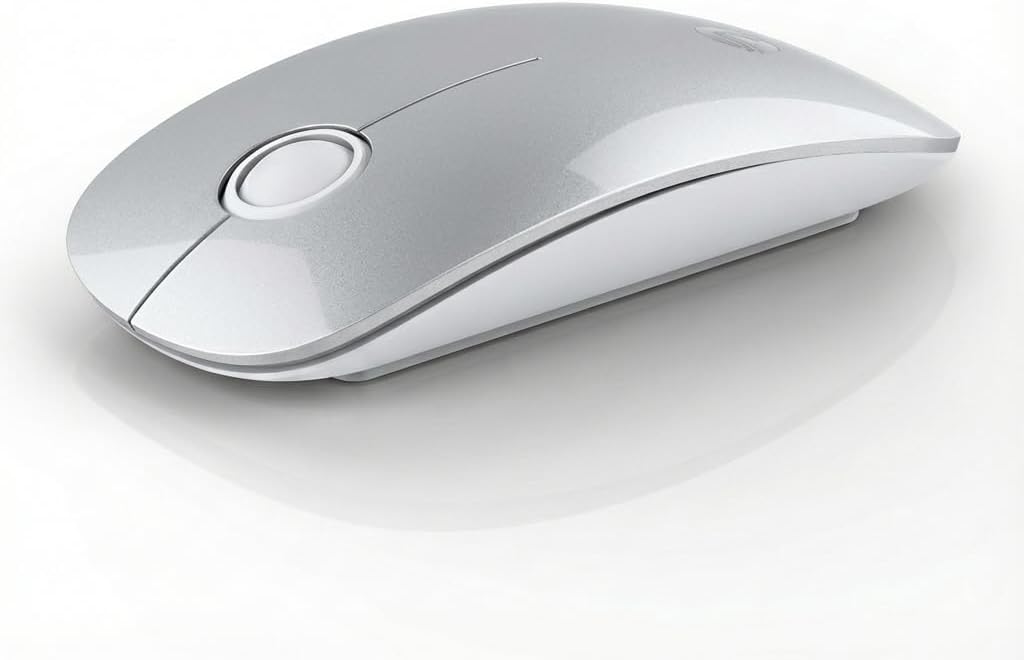
RAPIQUE Bluetooth Wireless Mouse, BT5.1/2.4G Dual Mode, Silver
$14.99
Product Information
ASINB0G4793MML
CategoryElectronics
MerchantMoshen Technology
About this item
- Elegant Silver & White Two-Tone Design: Designed with a premium silver glossy top cover and a clean white matte base, this R306 wireless mouse delivers a refined, modern look. The contrast of glossy and matte finishes creates a balanced aesthetic that fits perfectly in professional offices and minimalist home setups.
- Dual Connectivity – Bluetooth 5.1 & 2.4GHz: Connect via Bluetooth or the included USB receiver to control two devices with one mouse. Easily switch between devices with a single button—perfect for laptops, desktops, tablets, and MacBooks.
- Slim, Comfortable & Travel-Friendly: The ultra-slim profile and smooth curved shape offer a comfortable grip while remaining easy to carry. The circular scroll wheel features a wider contact surface for improved comfort. (Note: Scroll wheel supports vertical scrolling only.)
- Silent Clicks for Focused Work: Enjoy quiet productivity with over 90% noise reduction on clicks. Both the buttons and rubber scroll wheel operate smoothly and silently, making this mouse ideal for offices, libraries, classrooms, or late-night work.
- Long Battery Life & Reliable Tracking: Powered by one AA battery (not included), the R306 offers up to 480 hours of use with low power consumption, auto-sleep mode, and a physical ON/OFF switch. The 1600 DPI optical sensor ensures smooth, precise tracking on various surfaces.
- Versatile Compatibility: R306 silent travel mouse is compatible with a wide range of operating systems, It works with Chromebook, Surface Pro, Macbooks, Laptops, PCs, and Computers. The Bluetooth mode works with Windows/Android/Mac OS/Linux, ChromeOS, and Android/iPad OS 13 or above, and our 2.4GHz mode works with any device with a USB port and is very easy to pair and connect. Note: The USB receiver is included in the small pouch in the box
- NOTE: There is a mode switch button(BT/USB) on the bottom of the mouse to switch the mouse's connection mode. It offers Bluetooth (No dongle required) and USB-A(with the USB dongle) connection and can connect up to 2 devices. The mouse package comes with a USB receiver for a USB-A connection, and the Bluetooth connection does not require a USB dongle.
- How to reset the mouse connection mode: Click the bottom mode switch button continuously (note: not long press), and you can see the mode light changes from green to blue, In Bluetooth mode, press and hold the mode switch button 3 sencod until the blue light flashes quickly, then turn on the device Bluetooth again, find the R306 MOUSE, and click to connect! In 2.4G mode, long-press the mode switch button until the green light flashes quickly, then plug the USB receiver into the device's USB port to repair.
Similar Items
 EVEO Screen Cleaner Spray - Large Screen Cleaner Bottle, EVEO Screen Cleaner Spray - Large Screen Cleaner BottleView price
 Snap-On Lens Cap Compatible with Canon EOS R8 with 24-50mm, EOS R50 V with 14-30mm, RF-S 14-30mm f/4-6.3 is STM PZ Lens$8.99
 3 Pack for Galaxy S23 FE Back Rear Camera Lens Glass Replacement, Back Camera Lens with Premium Lens Protector Compatible with Galaxy S23 FE, Included Instruction Manual, Toolkit$9.90
 Professional Full-Frame Sensor Cleaning Swabs for DSLR/SLR Cameras – 20-Pack Microfiber Kit for DDR24 and Type 3 Sensors$7.99
 1/4" Male to 1/4" Male Threaded Tripod Screw Adapter Double Head Stud Standard Mounting Thread Converter for Camera Cage Mount Light Stand Monopo Shoulder Rig Tripod Black-6 Packs$7.99
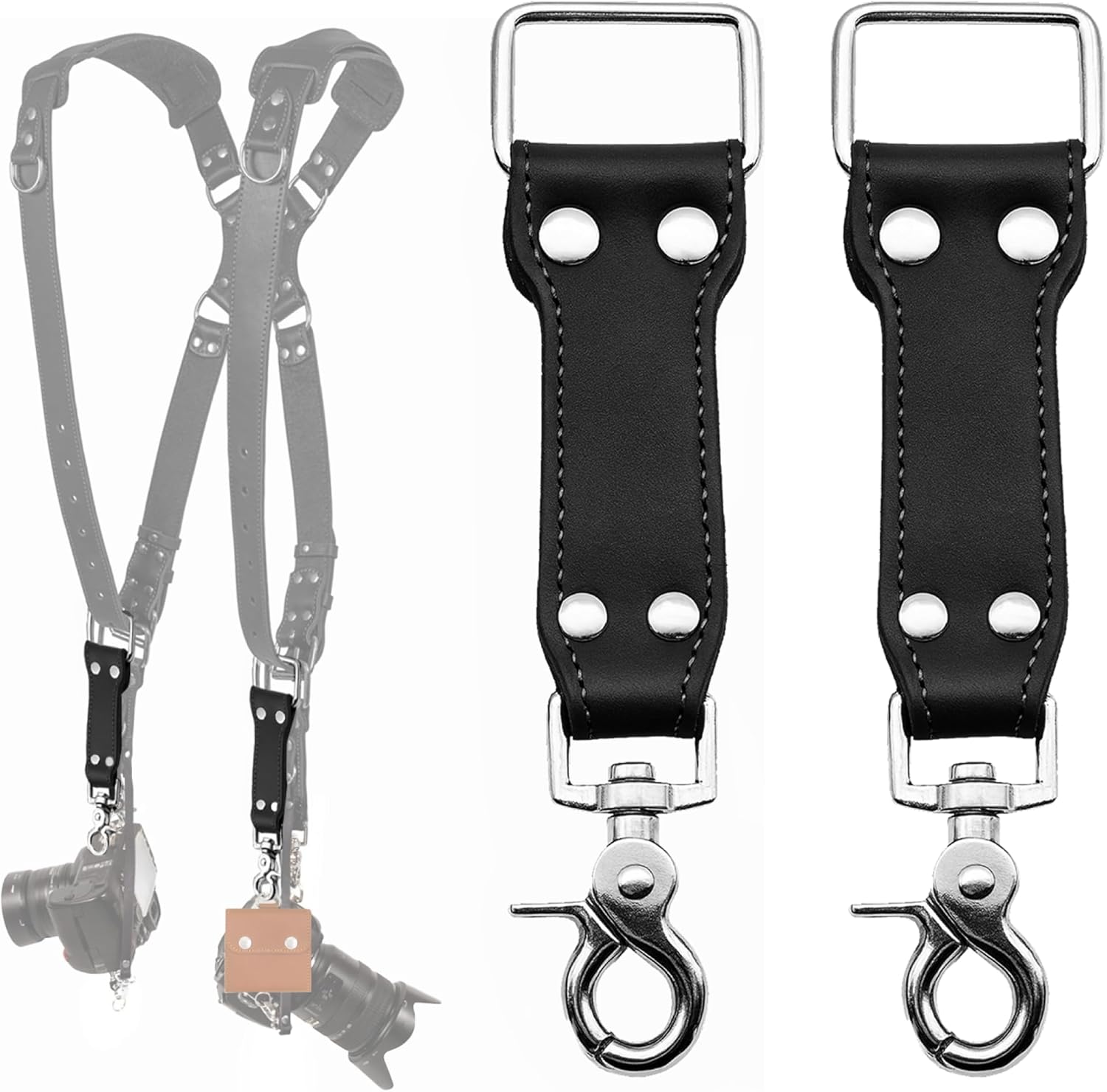 C Coiro Extra Attachments Single and Dual Camera Harness for Camera Bag, Sling Bag, Pouch, Lens Case$27.99
 Replacement Gimbal Damping Pads for DJl Mini 4 Pro, Includes Repair Tools (2 Pads, Left & Right)$7.99
 Genuine Leather Camera Strap - Scratch-Free 1mm Micro-Loop Neck & Shoulder Cord - Minimalist Crossbody Lanyard for Ricoh GR IIIx, Sony RX100 VII, Canon G7X & iPhone 15 Pro$17.99