
Switches: A 10-Step Quick Start Guide: A Practical Beginner’s Guide to Types, Contacts, Ratings, Wiring, Testing, Selection, and Everyday Use (Electronic Components Quick Start Guides Book 17)
Product Information
Product Description
Learn how switches work, what they do, and how to choose, wire, test, and replace them confidently in beginner electronics projects.Switches control whether an electrical path is open or closed. Open switches break the path; closed switches complete it so current can flow. Switches are used for power buttons, reset buttons, mode selectors, door and limit detection, vehicle accessories, appliance controls, DIP settings, and low-voltage projects. But for beginners, switches can be confusing because contact arrangement, COM/NO/NC terminals, poles and throws, momentary or maintained action, voltage rating, current rating, AC/DC use, load type, mounting, and terminal layout all matter.Switches: A 10-Step Quick Start Guide gives you a practical, beginner-friendly path through the essentials. Instead of overwhelming you with advanced control-system theory, this guide focuses on what you need at the workbench: what a switch does, how contacts open and close a circuit, how common switch types differ, how to identify terminals, how to read ratings and markings, how to choose the right replacement, how to wire safe low-voltage examples, and how to test switches with a multimeter.Inside, you’ll learn how to:Understand switches in plain languageRecognize toggle switches, rocker switches, pushbuttons, tactile switches, slide switches, rotary switches, DIP switches, limit switches, microswitches, reed switches, key switches, selector switches, foot switches, tilt switches, float switches, pressure switches, and trigger switchesUnderstand open circuits, closed circuits, series placement, current paths, contact movement, actuators, terminals, and control signalsIdentify SPST, SPDT, DPST, DPDT, normally open contacts, normally closed contacts, common terminals, poles, throws, momentary action, and maintained actionRead switch symbols, SW and S designators, COM, NO, NC, terminal numbers, contact diagrams, current ratings, voltage ratings, AC/DC markings, panel cutout sizes, and package cluesAvoid mistakes with wrong terminals, confusing COM with ground, using tiny signal switches for power loads, ignoring AC/DC ratings, exposed terminals, missing strain relief, and shape-only replacementsUnderstand ratings such as contact arrangement, poles and throws, normal state, current rating, voltage rating, AC/DC suitability, load type, contact resistance, contact bounce, actuator style, terminal style, mounting type, and replacement fitChoose a switch for power control, signal input, mode selection, position detection, access control, low-voltage projects, or repair workWire safe low-voltage SPST and SPDT switch examplesTest switches with power disconnected using continuity checks, terminal identification, open and closed state confirmation, and intermittent-contact checksTroubleshoot common switch problems safely and logicallyThis guide includes premium full-color instructional visuals, information-packed diagrams, helpful tables, practical checklists, and clear step-by-step explanations for hands-on learning. You can read it as a short beginner guide, or keep it nearby as a bench reference while building, testing, repairing, or troubleshooting electronics projects.This book also emphasizes safe, low-voltage learning. Disconnect power before wiring or testing, verify COM/NO/NC terminals before installation, insulate exposed terminals, use proper wire size, add strain relief, and never exceed switch ratings. Mains wiring, high-current loads, damaged switches, overheated terminals, and unsafe substitutions require extra caution.This book is part of the ordered 25-book Electronic Components Quick Start Guides series, but each guide stands alone and can be read in any order. Start with the component you need now, then return to the series as your projects and skills grow.One component. Ten steps. Practical understanding.
Similar Items
 Homewish Daisy Flowers Truck Comforter Set Queen Size Black White Geometric Grid Bedding Set for Kids Girls Teens Boys Room Decor Spring Garden Plants Quilt Set Rustic Farmhouse Duvet Insert 3pcs$56.99
 Hand Made Cute keychains for Women,Funny Birthday Christmas Gift Decorate of Car Key,Backpack Pendant$15.99
 NKOK Sonic Knuckles & Tails 1:64 Scale Die-Cast Vehicle Bundle Set, Ages 8+ | Based on Sonic & Sega All-Stars Racing - Land Breaker ATV included - freewheel action, no batteries needed$10.99
 COBI Historical Collection: World War II 1934 Citroen Traction 7A Vehicle$25.98
 Hot Wheels Team Transport Pack Lamborghini Reventon Roadster Flipside Hauler Die-Cast Car and Hauler Set for Ages 3+$46.34
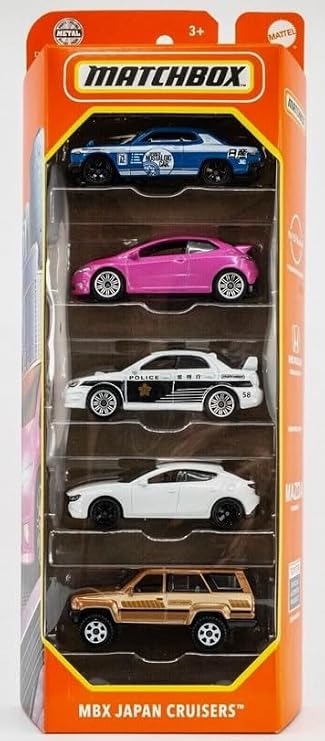 Matchbox MBX Japan Cruisers 5-PackClick to view price
 Soft Plush Fire Engine Excavator Stuffed Truck Toy Cute Cartoon Rescue Vehicle Throw Pillow Excellent Gifts for Kids or Birthday Party Christmas (Fire Engine)$16.98
 Hot Wheels Let's Race Activate! Skull Crusher Toy Vehicle, Transforms as it Rolls, 1:32 ScaleClick to view price
 Hot Wheels Hot Wheengs HYW42 Fast Foodie 5/5 Short Card Hotdog Racing Car Red Green Mattel 2025 1:64$9.94
 Hot Wheels - Deora II - HW Fan Driven 1/5 - Short Card - JJK70 - Pink - Mattel 2026 (18/250) - Fantasy Model - Fantasy Car Surf Custom - 1:64$8.99